01
The idea
Technical Windows information should not have to be collected manually from different system areas. WinLOG combines the capture process in a reproducible workflow.
SYSTEMS & INFRASTRUCTURE
Windows inventory as a structured system snapshot.
WinLOG captures defined technical information from a Windows system and exports it to an Excel-compatible CSV format. The focus is operating system, updates, hardware, storage and installed software.
01
Technical Windows information should not have to be collected manually from different system areas. WinLOG combines the capture process in a reproducible workflow.
02
Operating system data, update status, hardware, storage and installed programs reside in different Windows locations and must be consolidated for inventory purposes.
03
A PowerShell script reads the defined data, structures the results and creates a semicolon-separated CSV file for Excel-compatible workflows.
WHAT IT COLLECTS
The project page only describes capabilities present in the actual WinLOG script.
Computer name, user name and time of data capture.
Windows designation and installation date.
Date of the latest detected quality or security update.
System model, CPU designation and installed memory.
Total capacity and free space on drive C:.
Program name, version, publisher and installation date from Windows uninstall locations.
A custom CPU microbenchmark produces an internal comparison score.
Central network location when reachable, otherwise the local desktop as fallback.
HOW IT WORKS
WinLOG processes system information in a clear and traceable workflow.
The script checks whether the configured network destination is reachable and otherwise selects the local fallback.
CIM, registry, HotFix and event log information provide the defined Windows data.
Multiple uninstall locations are read, programs sorted by name and deduplicated.
System data and the program list are written to a semicolon-separated, Excel-compatible file.
UPDATE INTELLIGENCE
WinLOG combines two actual Windows sources to identify the newest detected quality or security update.
Provides installation dates for many installed Windows KBs.
Acts as a fallback using successful update installations in the event log.
The most recent available date is written to the inventory file without a time component.
RESILIENT EXPORT
The output is preferably saved to a configured network destination. If unavailable, WinLOG automatically switches to the current user desktop.
SHOWCASE VIEW
The showcase visual summarizes the captured information areas. The actual WinLOG result is the structured inventory file.
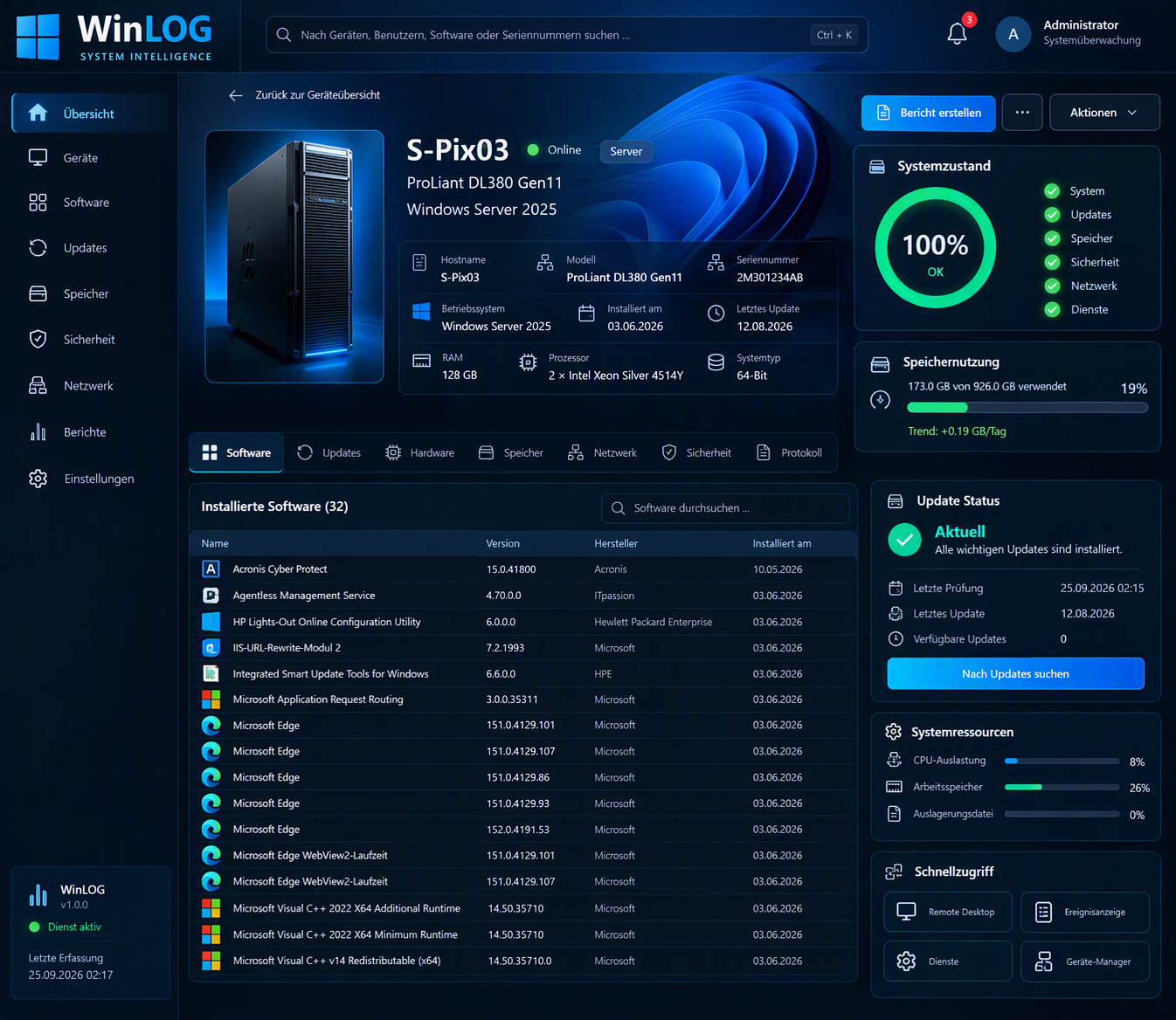
The presentation contains no real internal network address or confidential system data.
TRANSPARENCY
The CPU score is based on a microbenchmark defined in the script. Any derived comparison value is project-specific and is not presented as a generally recognized benchmark.