01
The idea
Technical device information should not have to be collected manually. MacLOG creates an automated foundation so relevant Mac system data becomes regularly and consistently available.
SYSTEMS & INFRASTRUCTURE
Automated system data. Visible technical context.
MacLOG is not a conventional application with a large user interface. A self-running background component captures technical information from Mac systems and makes it usable for inventory, monitoring and central analysis.
01
Technical device information should not have to be collected manually. MacLOG creates an automated foundation so relevant Mac system data becomes regularly and consistently available.
02
Hardware status, operating systems, installed software, storage development and freshness remain distributed across individual devices without automated capture. A unified technical view is missing.
03
A self-running background component reads defined technical information. The data can then be stored centrally, compared and prepared for monitoring views.
WHAT IT COLLECTS
Reliable device-side data capture is the core of MacLOG.
Model, memory and additional technical device attributes.
Installed macOS version and related technical version information.
Captured applications and available version information.
Total capacity, free storage and resulting development over time.
Time of the latest capture and visibility of outdated data.
Technical indicators as a foundation for central assessments and notices.
HOW IT WORKS
MacLOG deliberately separates data capture from presentation.
The background component reads defined technical information from the Mac.
Captured values are provided in a consistent form for further processing.
Information from multiple systems can be brought together in a central data store.
Monitoring views expose freshness, storage development, versions and device status.
THE RESULT
The interface visualizes centrally consolidated system information. The actual capture work happens earlier in the background.
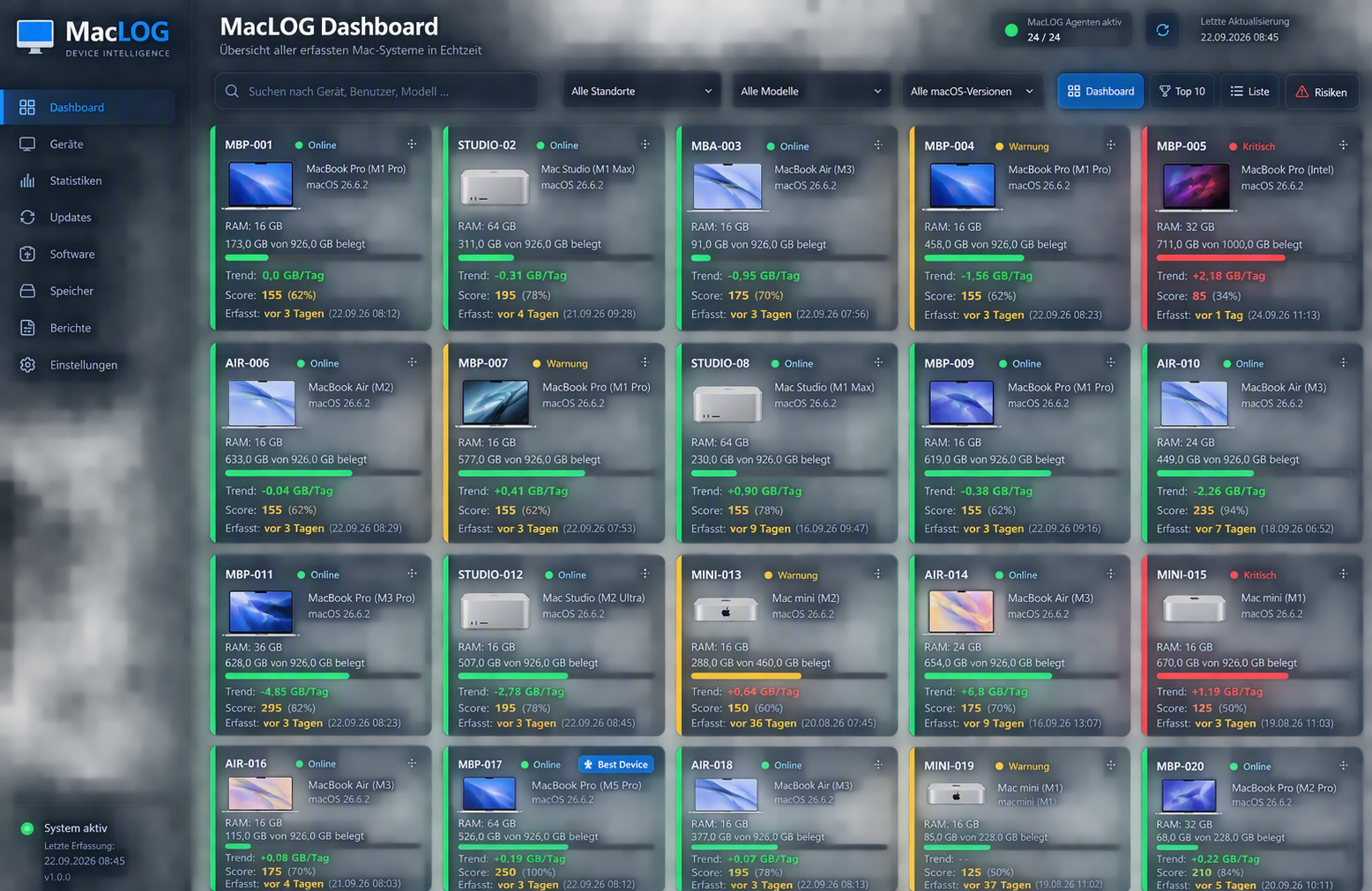
Public showcase view using neutralized device and example data.
PUBLIC SHOWCASE
The public presentation contains no real personal, device or company data. It only demonstrates the technical principle and an anonymized result view.